Fantasy Gems Balance Missing After Login: What to Check and Fix
A Fantasy Gems balance missing after login is usually the wrong account, a syncing delay, a pending transaction or a separate bonus balance. Here is how to check each one before you pay again.
Independent guide — not an official Fantasy Gems channel.

Troubleshooting
Category
Wallet Balance
Focus
9 min
Read Time
Oct 2026
Updated
A Fantasy Gems balance missing after login can be worrying, especially when money was recently deposited or a withdrawal was expected. You sign in, open the wallet, and the figure is zero or lower than you remember.
In most cases the money has not vanished. The issue may be caused by the wrong account being open, a syncing delay, a pending transaction, separate bonus and cash balances, or, less often, unauthorized activity. Each of these leaves a trace somewhere in the app, and each has a different fix, so the order in which you check matters.
This is an independent guide, not an official Fantasy Gems channel. We cannot see your account or move funds, and we do not quote processing times as fact because they vary. What we can do is show you how to work out which of the six causes you are dealing with, what to save as evidence, and when it is time to hand the problem to support inside the app.
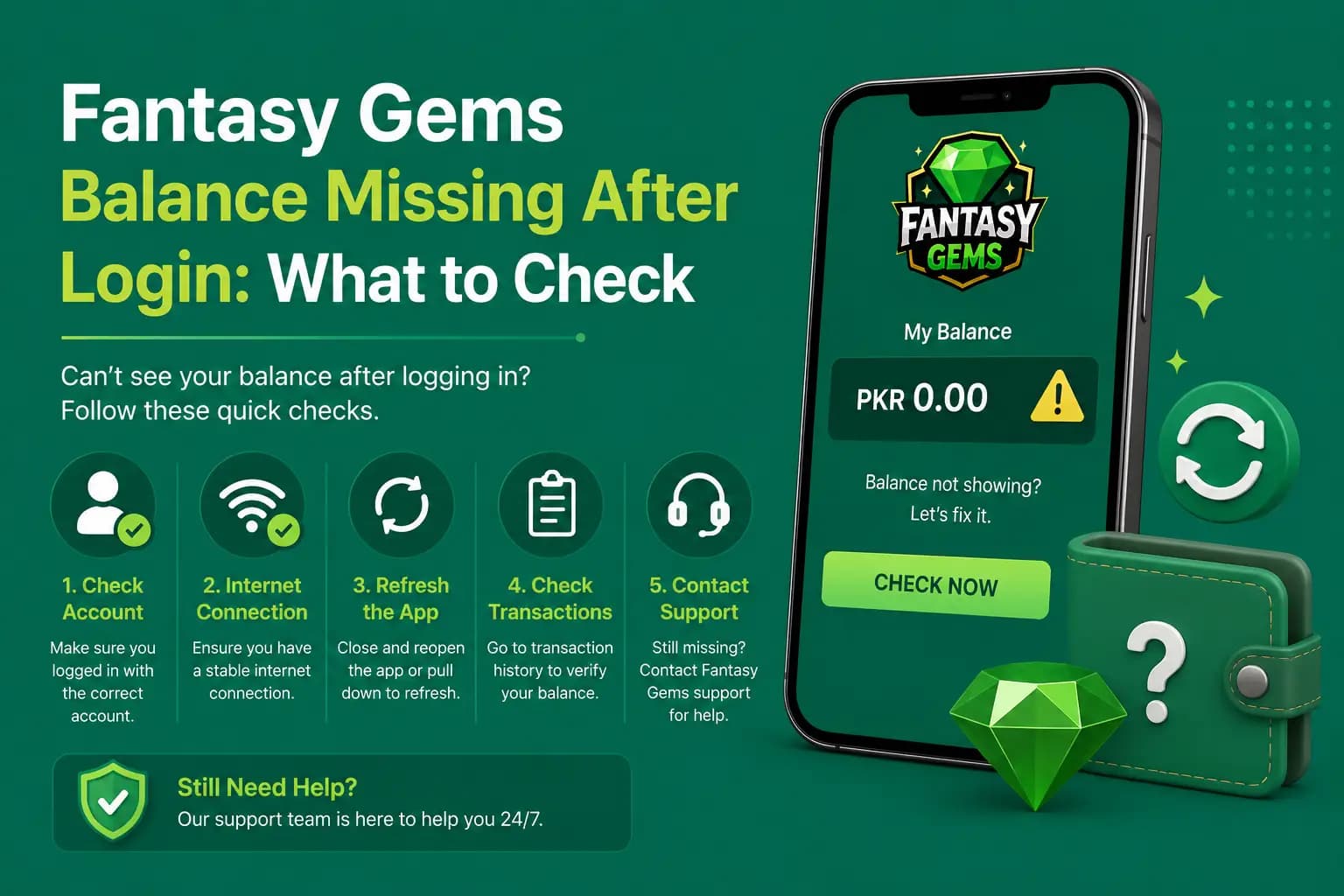
Quick checks when your Fantasy Gems balance is not showing
Do these in order before anything else. They take about two minutes and resolve most cases.
- Look at the account ID and registered number on the profile screen and confirm it is your original account.
- Pull down to refresh the wallet, or leave the wallet screen and open it again.
- Switch between Wi-Fi and mobile data once, then close and reopen the app.
- Open the deposit history and look for an entry marked pending or failed.
- Open the withdrawal history and check for a request that is still processing.
- Check whether the wallet shows cash and bonus amounts in separate sections.
- Take screenshots of what you see before you log out or reinstall anything.
If the account ID is not the one you remember, stop here. You are in a different account, and the section on wrong accounts below is the one you need.
Do not deposit again yet
Do not make another deposit until the original balance problem has been checked. A second payment does not push the first one through; it simply puts more money into an unresolved situation and makes the record harder for support to untangle. If the first deposit is pending, it normally either arrives or is returned by the payment provider. Wait, check the history, and pay again only once you know what happened to the original.
Common reasons the Fantasy Gems wallet balance is zero or missing
Almost every missing balance report falls into one of these six groups.
Wrong Account Opened
A user may accidentally log in with another mobile number or a newly created account. Check the account ID and registered number.
Wallet Has Not Synced
A weak internet connection or temporary server issue may prevent the latest balance from displaying. Refresh the wallet and reopen the app.
Deposit Is Still Pending
A completed payment-provider transaction may still be waiting for account confirmation. Check both the payment application and Fantasy Gems deposit history.
Cash and Bonus Balances Are Separate
The wallet may show cash, promotional credit, winnings, and pending amounts in different sections.
Withdrawal Is Processing
A requested amount may be removed from the available balance while the withdrawal remains pending.
Unauthorized Access
Someone may have logged in and used or withdrawn funds.
Balance-checking table: where to look in the app
Work down this table once. By the last row you should know which cause applies.
| Check | What to review | What it tells you |
|---|---|---|
| Account ID | Confirm the correct profile | A different ID means a different account, not a lost balance |
| Registered number | Compare with signup details | Shows whether you signed in with another SIM's number |
| Cash balance | Check withdrawable funds | The figure most people mean by balance |
| Bonus balance | Review promotional funds | May be held apart from cash under its own conditions |
| Deposit history | Look for pending or failed payments | Explains a deposit that has not been credited |
| Withdrawal history | Check active requests | Explains a drop equal to a recent request |
| Game history | Review recent stakes or entries | Shows amounts spent in games, by you or someone else |
| Login activity | Look for unknown devices | Points to unauthorized access if the app shows this list |
Not every screen may exist in your app version. Use whichever of these records the wallet and profile sections show.
What to do first when the balance is missing after login
This is the full sequence, from the simplest explanation to the most serious.
- 1
Confirm the correct mobile number: sign out and sign in again with the exact number you registered with, in the same format.
- 2
Review the account ID on the profile screen and compare it with any earlier screenshot or message that shows it.
- 3
Refresh the wallet.
- 4
Check the internet connection by opening any other app or website, and move to a stronger signal if it is slow.
- 5
Close and reopen the app completely, not just minimise it.
- 6
Review deposit and withdrawal history for pending, failed or processing entries.
- 7
Check bonus and cash sections separately.
- 8
Save screenshots of the wallet, the histories and the profile screen.
- 9
Change the password if activity looks unfamiliar.
- 10
Contact verified support through the option inside the app, with the evidence listed further down.
Steps one to five fix display problems. Steps six and seven explain most real differences. Only the last three are needed when something is actually wrong.
Fantasy Gems wallet not updating: phone-side fixes
When the wallet is not updating but your account ID is correct and the histories look normal, the app is probably showing an old figure. On Android, open Settings, find the app in the apps list, and use Clear cache in its storage section. Clearing the cache removes temporary files only; it does not sign you out or touch the account.
Avoid Clear data unless you are sure of your password and have your registered SIM to hand, because it wipes the saved login. Check too that data saver or battery saver is not restricting the app's background data, set the phone's date and time to automatic, and install any pending app update. A VPN can also slow or block the connection the wallet needs.
Remember that the balance is stored on the server against your account, not on your phone. Reinstalling the app or changing handset cannot erase it, and equally it cannot bring back money that was genuinely spent or withdrawn.
Deposit successful but Fantasy Gems deposit not showing
Check the payment provider status first, in your JazzCash, Easypaisa or banking app. A transaction may show:
- Successful: the money left your mobile wallet, so the delay is on the platform side and usually means it is waiting for confirmation.
- Pending: the payment provider has not finished the transfer, and nothing can be credited until it does.
- Failed: the money normally never left your wallet, so there is nothing to credit.
- Reversed: the amount was sent and then returned to you by the provider.
Save the transaction ID, amount, recipient, date and screenshot. JazzCash and Easypaisa both send a confirmation SMS with a transaction ID; keep that message. Do not send the same payment again. Read the Fantasy Gems deposit guide for detailed payment checks.
Withdrawal deducted but not received
A pending withdrawal may temporarily reduce the available balance, which can look like missing money. Review:
- Withdrawal status
- Request ID
- Destination number
- Amount
- Processing information
When the request says completed but no money arrives, check that the destination number is your own JazzCash or Easypaisa account, then ask support for the payout reference. The withdrawal guide explains what each status usually means.
Cash and bonus balances: why the total looks lower
Apps of this kind commonly keep promotional credit apart from the cash you deposited. The wallet may show cash, bonus, winnings and pending amounts as separate lines, and the large number on the home screen may be only one of them. A balance that seems to have dropped can simply be a bonus that moved, expired or was never withdrawable in the first place.
The conditions attached to any bonus are set by the platform and can change, so check the rules shown in the promotions section rather than relying on what a friend or a group chat told you. Our bonus guide and wallet guide explain how these sections are usually laid out.
It is also worth being honest about game history. Real-money games can and do lose money, and a run of stakes placed late at night adds up faster than memory suggests. If the game history accounts for the difference, the balance is not missing. Play only if you are 18 or older, with money you can afford to lose, and never borrow to chase it back.
Unknown game activity or withdrawals on your account
When game entries, stakes or withdrawals appear that you did not make, treat the account as compromised and act straight away:
- Change the password.
- Log out from other devices.
- Contact support.
- Ask for withdrawal restrictions.
- Review saved payment methods.
- Remove unknown devices when the option exists.
Do not share your OTP during the investigation. Our secure login account post covers how to lock the account down afterwards.
Nobody needs your PIN or OTP to restore a balance
A missing balance makes people easy targets. Scammers posing as agents in WhatsApp and Telegram groups offer to recover the money if you share an OTP, pay a release fee, install screen-sharing software or type your JazzCash or Easypaisa PIN. A wallet PIN is never needed for login or for a balance check, and a genuine fix does not require payment to a personal number. Anyone asking for these is trying to take what is left. Use only the support option inside the app.
When to contact support and what evidence to send
Contact support when the correct account is open, the app has been refreshed, and the histories still do not explain the difference, or when a payment left your mobile wallet and has not been credited. Provide:
- Account ID
- Registered number with some digits hidden
- Previous balance
- Current balance
- Transaction IDs
- Screenshots
- Date and time
- Unknown game or payment records
- Device model
Never provide a wallet PIN or account password. Send everything in one clear message rather than many short ones, and keep the reply for your records. The customer care guide lists the safe ways to reach support.
Do not create a second account
Registering a fresh account will not bring a balance back. It gives you a new, empty wallet and leaves your money and history in the original account, and it is often the reason a balance looks missing in the first place. Duplicate accounts also commonly cause trouble with bonuses, verification and withdrawals on apps like this. If you have already made one by mistake, stop using it and sign in to the original with your registered number.
Final Words on a missing Fantasy Gems balance
When the Fantasy Gems balance is missing after login, first confirm that the correct account is open. Then review cash, bonus, deposit, withdrawal and game records. One of those five places almost always explains the figure you are looking at.
Save evidence before logging out, and change the password immediately when suspicious activity appears. Do not repeat a deposit while the original transaction remains unresolved, and do not hand an OTP or a payment PIN to anyone who promises a faster fix.
If the records still do not add up, support inside the app is the only party that can see both sides of the transaction. Give them the account ID, the transaction IDs and the screenshots in a single message, and let the process run.
Check the Right Account First
Sign in with your registered number through the app or login page you normally use, then review the wallet history.
Related Guides
Fantasy Gems balance missing FAQs
The most common reason is that a different account is open. Signing in with another mobile number, or registering again by mistake, opens a separate wallet that starts at zero. Other causes are a wallet that has not synced, a deposit still pending, a withdrawal being processed, funds shown under a bonus section, or unauthorized use. Check the account ID first, then the transaction histories.